

How To Create Monogram Logo In Word


I love monograms. I think it's safe to say I'm pretty much obsessed with them. Maybe it's because my last name starts with "L," and cursive "L's" are kinda pretty. Maybe it's because it makes me feel like I'm an official person or something...I have a monogram; I must be significant, right? 😉 And maybe it's just because they're swirly and beautiful and girly looking, and let's be honest, who doesn't love that?
I guess I could go out and buy a monogram at the store, but I almost always make them myself because A. It's cheaper! and B. I can make exactly what I want. Here's what I did:
Install Monogram KK Font
1. I wandered on over to dafont.com and downloaded monogram kk font.
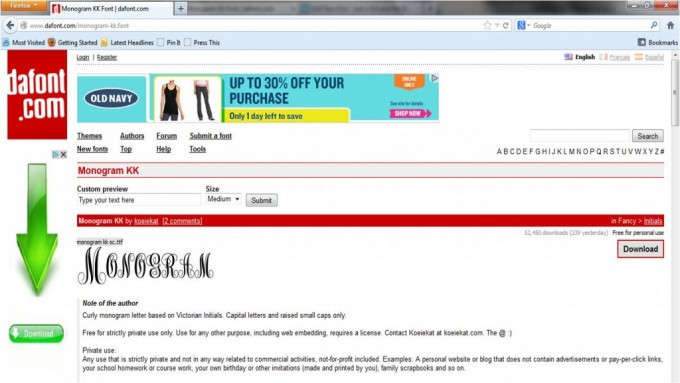
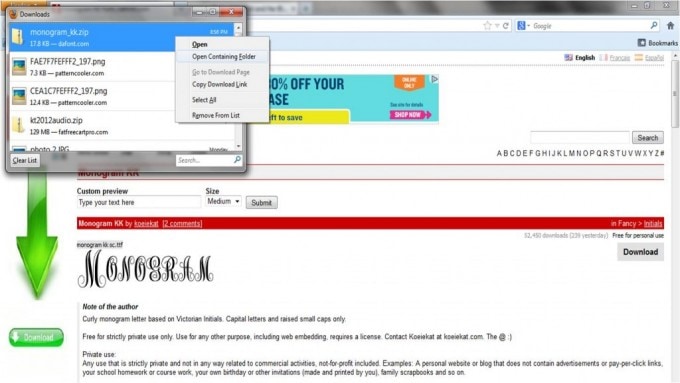
2. Then I installed it on my computer. (Because why would you download and not install? :)) On my PC, a dialogue box popped up, and I chose to save the file. I then right-clicked on the file in the download box and selected "Open Containing Folder."
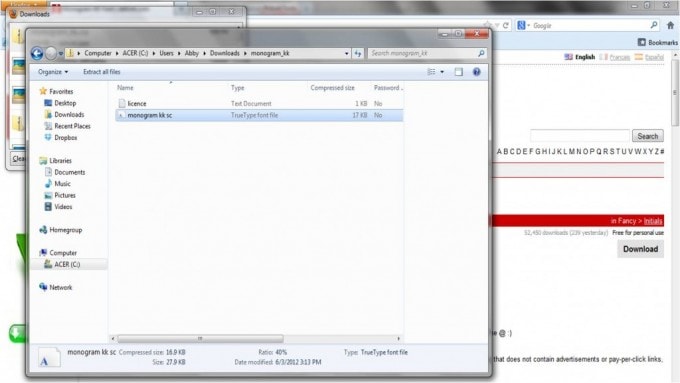
I opened the monogram kk folder, then clicked on the monogram kk file:
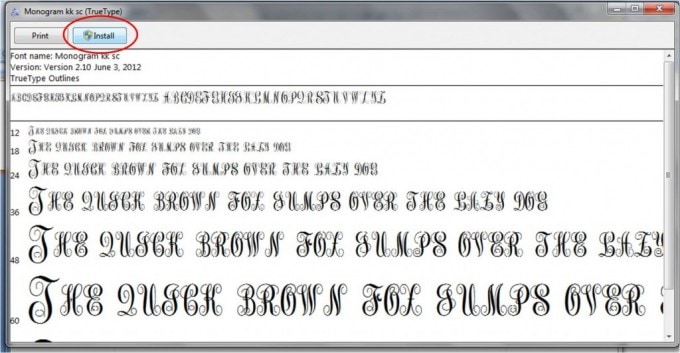
Once opened, I simply clicked "Install," and the font showed up in my font dropdown list.
Create Your Monogram in Word
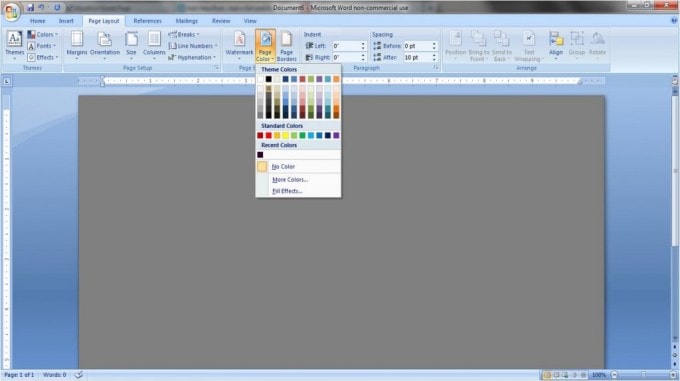
3. Now that I had the font installed, it was time for the fun part! I chose a background color by selecting "Page Color" under the "Page Layout" tab.
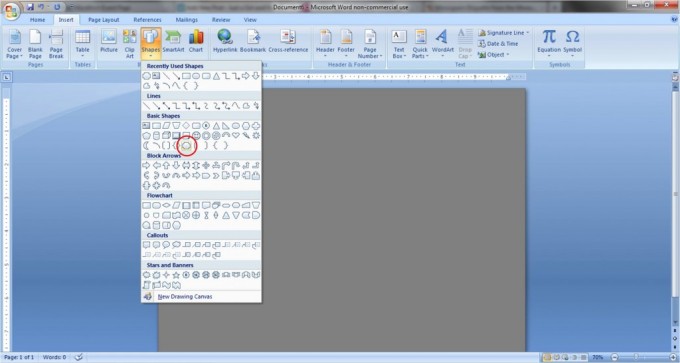
4. I wanted to add an extra splash of color to my monogram, so I added a border using the "Shapes" tool. Under the "Insert" tab, pick "Shapes," and choose the outline shape you would like. I chose the "Plaque" shape under the "Basic Shapes" heading.
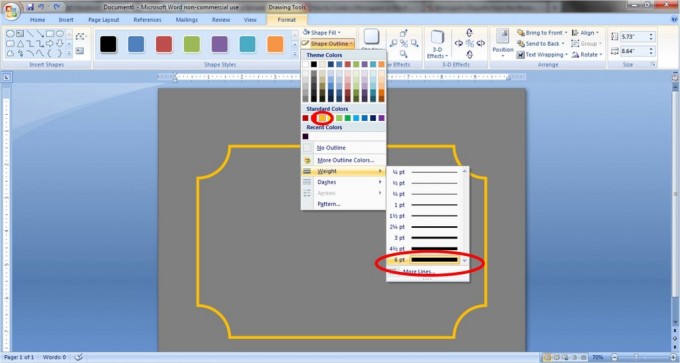
Draw your shape to the size you want and place it in the desired position on the page. Then select your outline and fill colors from the "Drawing Tools" tab. I chose "No Fill" as the fill color and a dark yellow, 6 pt weight for the outline.
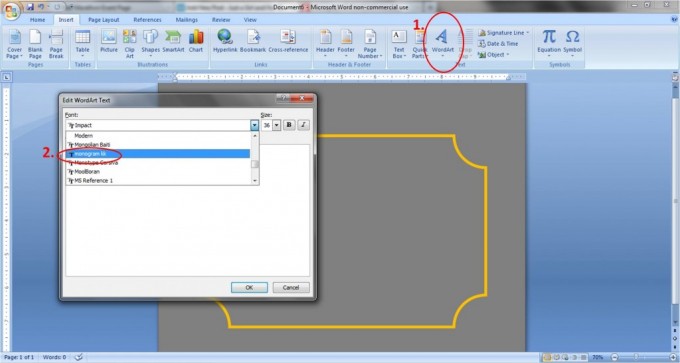
5. Now it's monogram time! Click the "Insert" tab and select "Word Art." You can pick any style of Word Art to start; you'll change the shape and color later.
I like to start with the initial for the last name, which will be in the middle of the monogram. Type the letter and select "monogram kk" from the font drop down menu.
6. You will now want to change the shape, size, and color of the letter. First, with the Word Art letter selected, click "Text Wrapping" under the "Word Art Tools" tab, and choose "In Front of Text." This allows you to move the letter around the page more freely.

Next, change the shape by choosing "Change Shape" under the "Word Out" tab and selecting the straight line titled "Plain Text."

Move the letter to the middle of your page, resize it to your liking, and change the outline and fill colors under the "Word Art" tab.
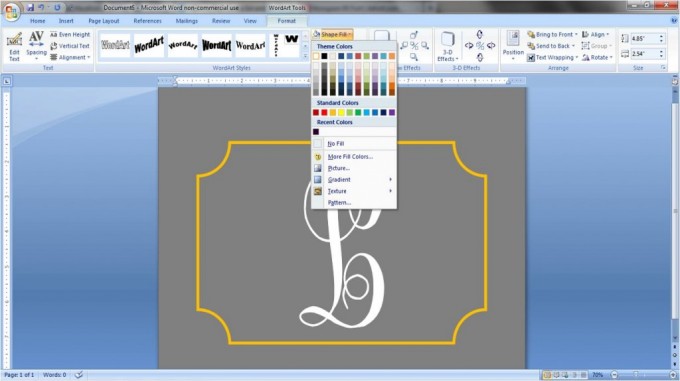
7. Repeat steps 5 & 6 to add the other two initials. If you are creating a monogram of just one person's initials, their first initial goes first, followed by their (larger) surname initial, then their middle initial. So Jane Elizabeth Doe would have the monogram J D E.
If you are making a monogram for a couple, the wife's initial goes first, followed by the initial of the couple's last name and finally the husband's initial. For example, my name is Abby and my husband is Donnie, so our monogram is A L D.
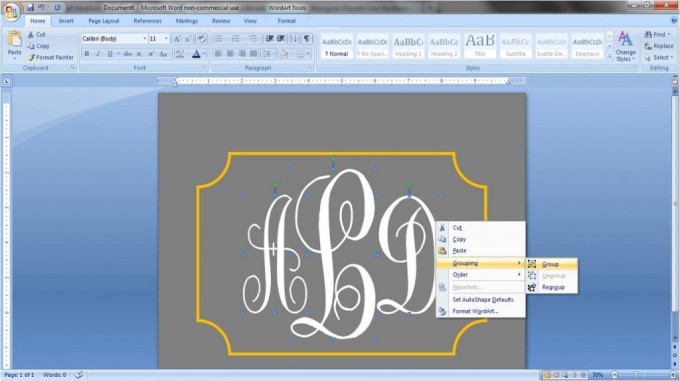
8. Once you have the letters arranged together, it may help to group them so that you can move them around the page as one unit instead of one at a time. To do this, select all three letters by holding down the "Ctl" key while clicking each letter. When you have all three highlighted, right click within the selected letters, and under "Grouping" choose "Group."
**Update...Marlene from Live and Learn (and Teach too...) recently left me this helpful tip for grouping objects more easily: "Under the 'HOME' tab, way over to the right choose 'select,' then 'select object,' then using your mouse drag the dashed line around all the objects you want to group. Then 'group' 'em!" So simple! Love it! Thanks, Marlene!
And...voila!
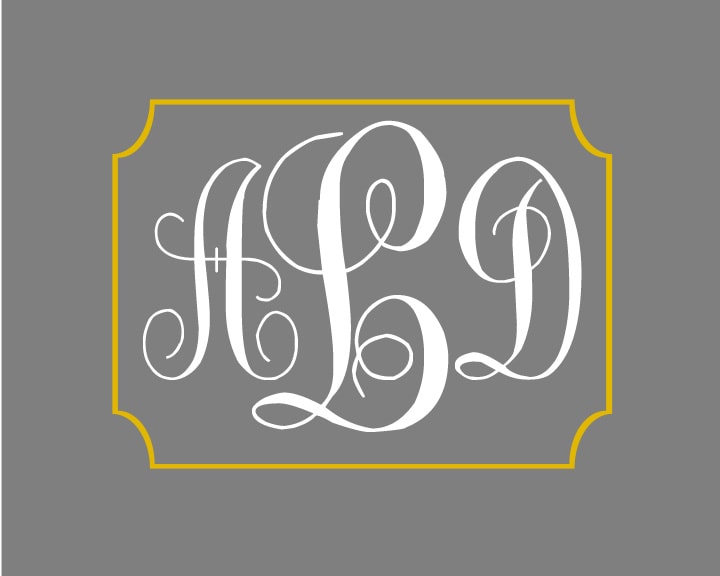
That may have seemed like a lot of steps, but it is actually a simple process; the more you play around with it, the easier it will get. I'm warning you, though, pretty soon you will be as obsessed as I am and will be sticking monograms on everything in sight! Yay! Happy monogramming!
Was this post helpful? Check out my other Microsoft Word Tutorials:

How to Make Pretty Labels in Microsoft Word
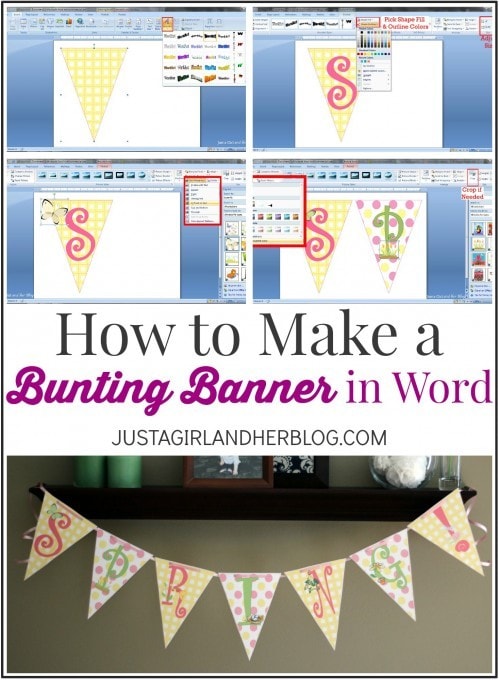
How to Make a Bunting Banner in Word
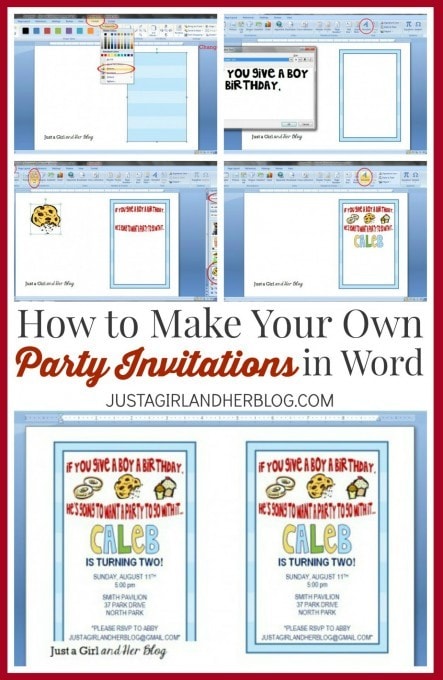
How to Make Your Own Party Invitations in Word
What are your favorite things to monogram?
How To Create Monogram Logo In Word
Source: https://justagirlandherblog.com/how-to-create-a-monogram-in-word/
Posted by: carwilethenter2001.blogspot.com
0 Response to "How To Create Monogram Logo In Word"
Post a Comment